

Every enquiry has a name next to it
Manage phone enquiries, web form submissions, emails and messages from Facebook, Instagram and WhatsApp Business in one shared list. Give each enquiry an owner, update its status and schedule a follow-up, so your team knows who’s looking after it and what needs to happen next.
Win more of the work you're offered
Keep phone enquiries, emails, website submissions and social messages in one place. Your team can see who’s handling each enquiry, what’s been agreed and when to follow up, helping you respond promptly and turn enquiries into quotes.
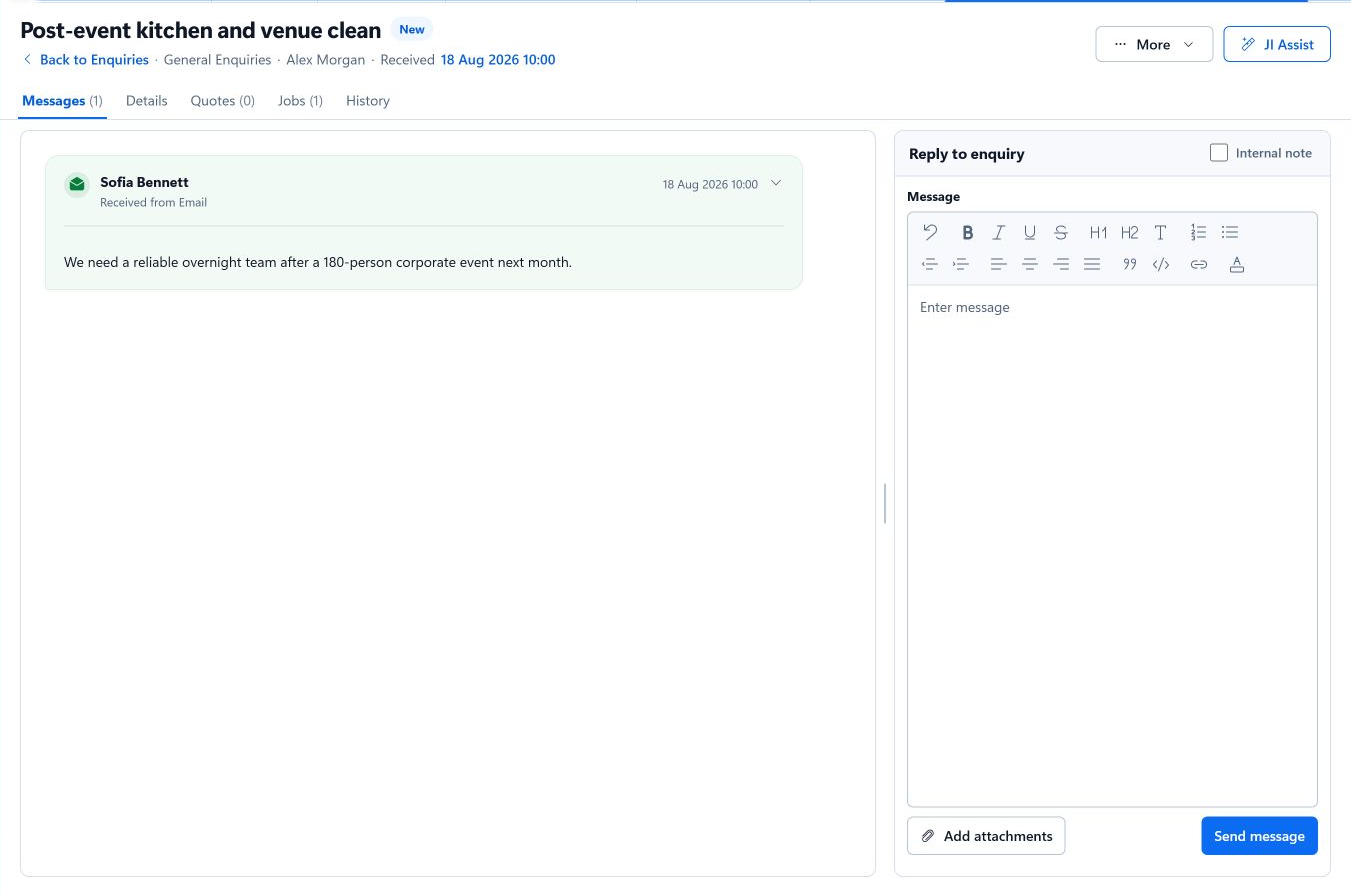
The whole conversation on one screen
Keep customer messages, your replies and internal notes in one clearly labelled thread. Include everyone involved, such as a managing agent and their client, and reply from the same place. With the attachment library included on every plan, your price lists and terms are always ready to add to a reply.
Queues that keep every team focused
Set up separate enquiry queues for urgent work, new projects or different teams. Give each queue its own email address, automatic reply and initial status, and send replies from your own domain.
Keep track of the conversation with automatic status updates. A customer’s reply can move the enquiry to ‘Customer replied’, while your response can change it to ‘Waiting on customer’, helping your team see who needs to act next.
Four enquiries before ten o'clock
- 108:05, email
A customer writes in needing someone out urgently. It lands in the urgent queue and the automatic reply goes straight out.
- 208:40, web form
A homeowner asks for a quote through your website form, with photos attached.
- 309:15, Facebook
Someone asks on your Facebook Page whether you cover their town. You answer from JobTek and the reply goes back to Messenger.
- 409:50, the quote
The quote request has everything you need, so you create the quote from it in a click.
Where every enquiry leads
Customers and contacts
Link the enquiry to an existing customer or create one, with as many contacts and addresses as they need.
Quotes and jobs
On JobTek Essentials and JobTek Professional, create the quote or the job straight from the enquiry, with every detail carried across.
JI Assist
On JobTek Professional, JI Assist reads a long enquiry and suggests a reply, the missing details and the next step.
Reporting
See enquiries by status and owner on your dashboards, and click any total to view the enquiries behind it.
Questions about enquiries
Do customers need to do anything differently?
Not a thing. They keep ringing, emailing, filling in your form or messaging your pages, and every enquiry arrives in JobTek.
What happens when someone's on holiday?
Hand their enquiries to a colleague in seconds. The thread, the notes and the follow-up date all move with them.
How do we keep customer records tidy?
Search your customers and contacts as you work, and link each enquiry to the record you already have.
Which plans include the enquiry list?
Every plan, including JobTek CRM. Facebook, Instagram and WhatsApp Business messages and automatic replies are included on every plan too.