

Click any total to see the records behind it
JobTek's dashboards count your enquiries, jobs, bookings, quotes and invoices as they stand right now. Click any number and the list is right there, each record ready to open.
Turn insights into action
Every figure in JobTek comes from the records your team keeps as they work, so it's always live. Each one opens the jobs, bookings or invoices behind it, so you can spot what needs attention and deal with it there and then, long before a customer has to ask.
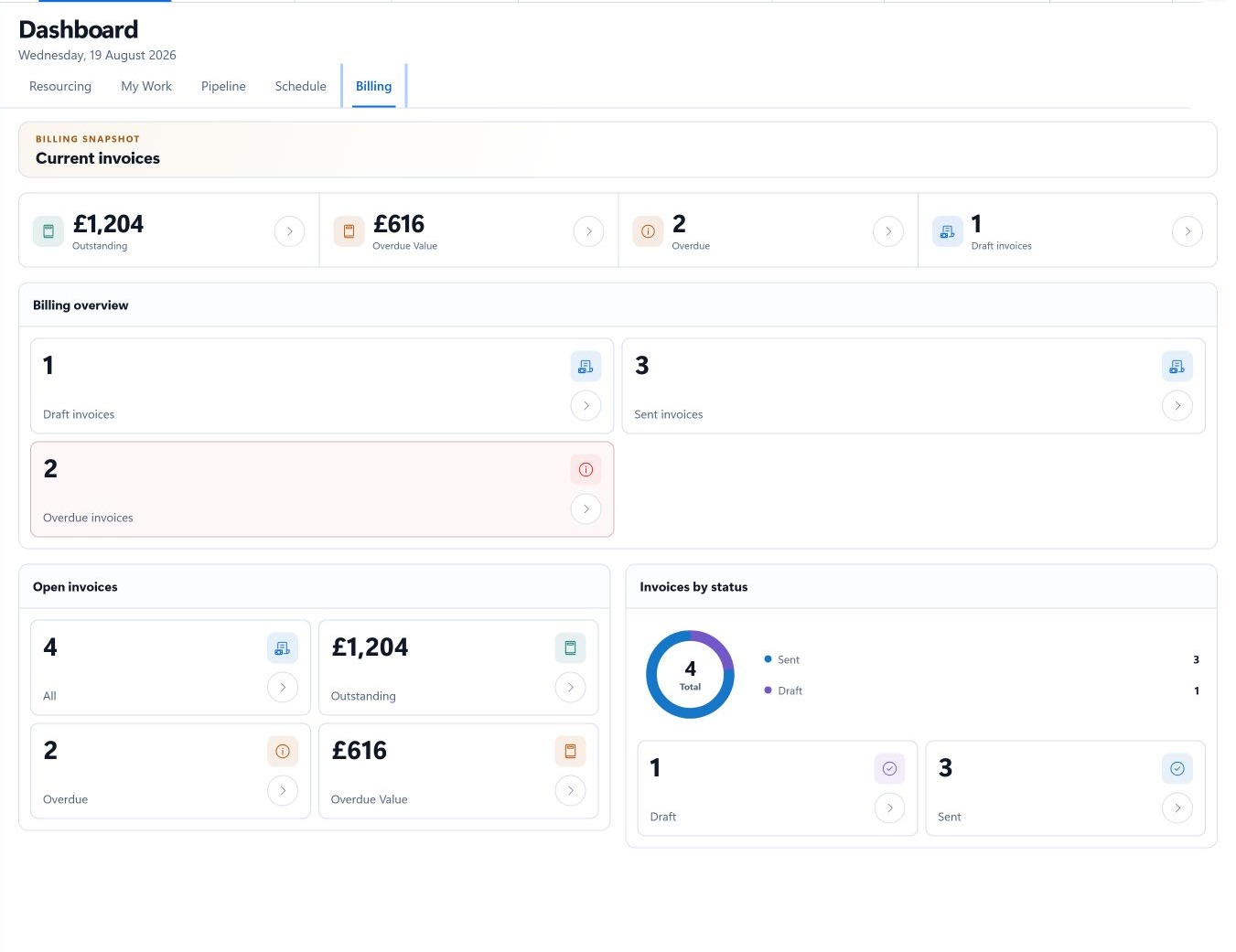
Money owed, organised for action
Invoice views separate open invoices from those with a balance, overdue, due soon, recently paid and any that need resending.
A day's resourcing on one screen
Pick a day and see the whole picture at a glance.
Unassigned bookings
Work that's ready for someone to be put on it.
Bookings needing attention
Ones whose planned end has passed, ready for an update.
Map positions
Addresses still to be placed on the map, ready to tidy before travel is planned.
Who's working
Team members with working hours that day, and the travel planned between bookings.
Quotes, by how far they got
Filter quotes by draft, sent, approved, declined, converted, expired and lost. The ones awaiting a reply are a click away, along with those about to expire. Dashboards come with jobs on JobTek Essentials and JobTek Professional.
Monday, half past eight
- 1Assigned
Two bookings this week need someone on them. You assign both.
- 2Overdue
Four invoices are overdue. One customer's reminders are paused, so you give them a quick call.
- 3Followed up
Six quotes sent last month are awaiting a reply. You follow up the two closest to expiry.
- 4Nine o'clock
Everything's in hand before the phones get busy.