

Access job details, even without a signal
Sync the day’s work while connected, then access jobs, customer details and notes on your phone—even without a signal. Anything recorded offline syncs automatically when a connection returns.
Everything from site, as it happens
Share notes, photos, completed forms and customer signatures with the office as work progresses, syncing automatically when a connection is available. Your office team has the details to raise invoices, book return visits and answer customer questions without waiting for paperwork.
Manage on-site work from your phone
Everything your team needs for the visit, together in the app.
Read the job
Customer, address, contacts, tasks and notes, along with the job's attachments.
Record the work
Notes, photos, form answers and the outcome of the booking, saved as they go.
Get sign-off
The customer signs on your team member's phone at the end of the visit.
Find the address
Open directions to the job in the phone's map app.
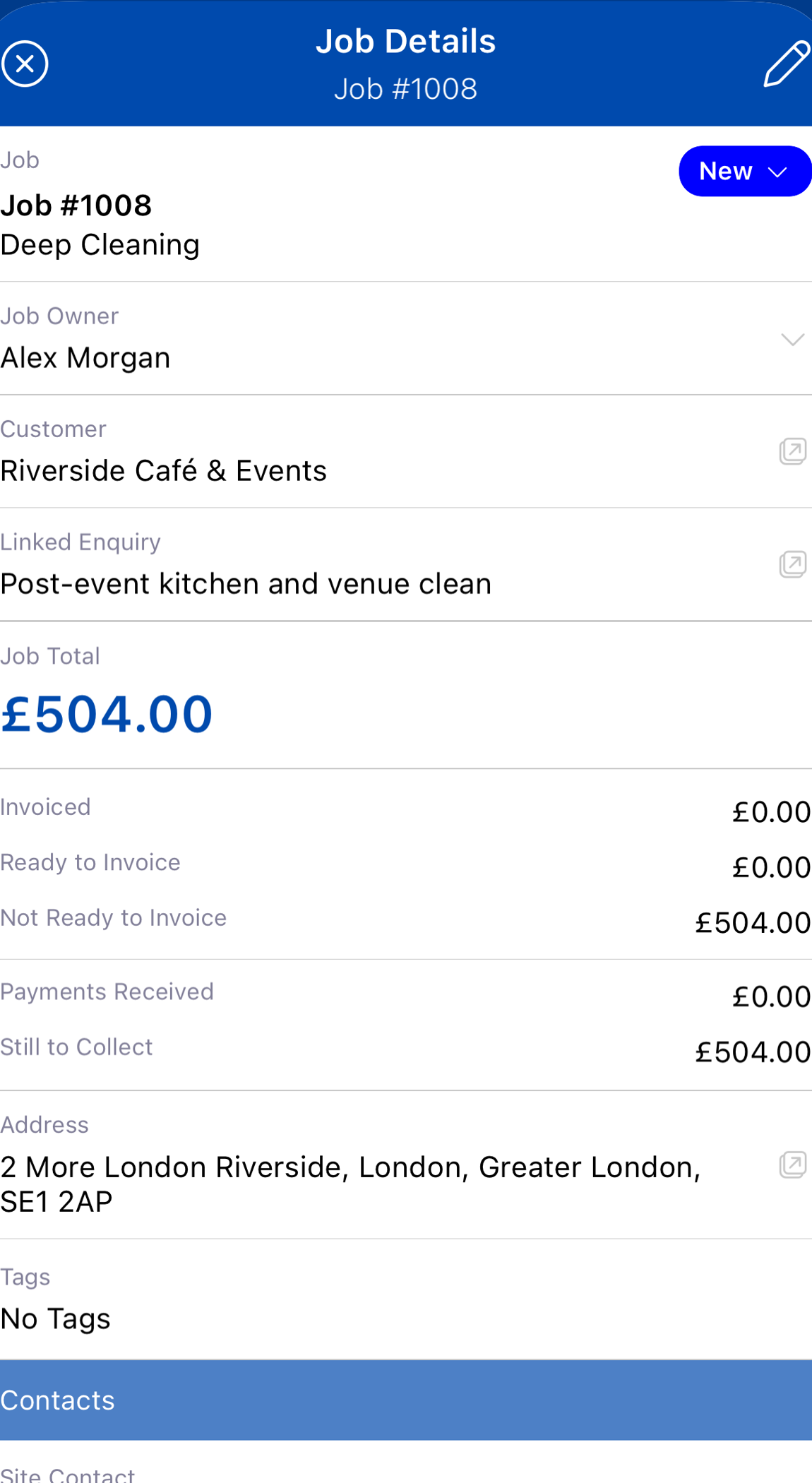
The job card in your team's hands
Who the customer is, where to go, who to ask for and what needs doing, all on one screen.
Built for real sites
Works anywhere
Jobs synced earlier open offline. Changes stay safe on the phone, even if the app is closed, and send when the connection returns.
Live status
Team members update their status, such as on my way or arrived, and the office sees it on the booking.
Every visit accounted for
If a visit can't go ahead, your team member picks a reason from your own list, so the office knows exactly why.
Forms and certificates
Inspection forms are completed on the phone, and managed records are issued on site by credentialed team members.
In the van with CarPlay
On iPhone, Apple CarPlay displays today’s and upcoming bookings on the car’s screen, with options to get directions, call the site and update the booking status. Once parked, your team can open the full job on their phone.
The JobTek app is available for iPhone and Android, with job management included in JobTek Essentials and Professional.
Everyone signs in as themselves
Each person in the office and the field has their own login, so you decide what they see and always know who changed what.
Roles you define
Create roles and choose, area by area, whether people in each can view, add, edit or delete records.
Two-step verification
Everyone can protect their sign-in with a code from an authenticator app, plus a one-time recovery code.
Google, Microsoft or Apple
People sign in with the account they already use.
Who changed what
The activity log shows each person's changes, day by day, linked to every record they touched.
Try the app offline
- 1While you’re online
Sign in to the app and let the day's jobs download.
- 2Signal off
Switch on flight mode, open a job, add a note and a photo, and complete the booking.
- 3App closed
Close the app and open it again. Every change is safely waiting to send.
- 4When your connection returns
Turn flight mode off and watch the note, the photo and the outcome reach the office.