

Keep payments and quotes moving
Set up automatic email reminders for unpaid invoices and unanswered quotes, choosing when customers hear from you. Reminders stop when payment is received or the quote is answered. With JobTek Professional, customers can also pay online through Stripe, GoCardless or PayPal.
Make it simple for customers to pay
Give customers a convenient way to pay online from their invoice, with friendly reminders sent automatically at the times you choose. Help payments arrive sooner and free your office from routine follow-ups.
Choose when reminders are sent
Set each reminder around a key stage of the quote or invoice, and choose how many days before or after it should be sent.
After it's sent
A friendly nudge a few days after the invoice or quote went out.
Around the due date
Before the invoice is due, on the day, or once it's overdue.
Before a quote expires
A timely prompt ahead of the quote's expiry date.
Repeats, up to a limit
Repeat every so many days up to the number you set, with your own subject and wording, and copy in whoever owns the job.
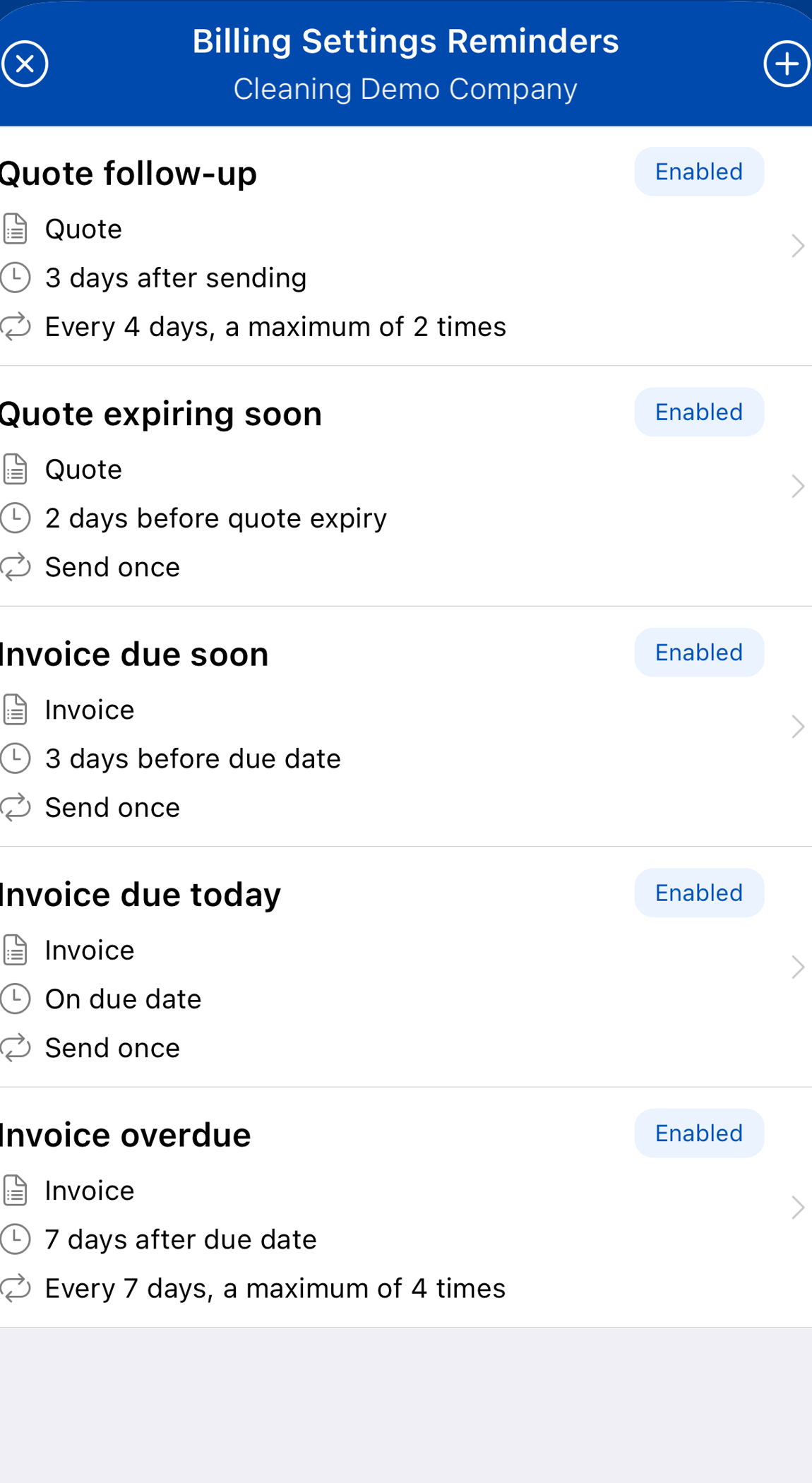
Every rule in one list
See which rules are on, when they go and whether they repeat. Preview each email before you switch it on.
Smart reminders that know when to stop
An invoice stops getting reminders as soon as it's paid. A quote stops once it's accepted, declined, turned into a job or expired.
Pause reminders for a single document or a whole customer whenever you need to, and customers' email preferences are always respected.
Up and running in four steps
- 1Connect a provider
Link your Stripe, GoCardless or PayPal account from JobTek's settings.
- 2Write the rules
Choose when reminders go, how often they repeat and what they say.
- 3Preview
Check the reminder email before switching it on.
- 4Let it run
Invoices go out with a way to pay, and reminders follow until the balance is clear.
Paid online, recorded on the invoice
When a customer pays through Stripe, GoCardless or PayPal, the payment is recorded against the invoice and the balance updates. Refund a completed payment in full or in part from JobTek. Bank transfers and cash are recorded in a couple of clicks, and payments, credit notes and refunds are included on JobTek Essentials too. Reminders always work from the up-to-date balance.