
Breakdowns, services and installs, all under control
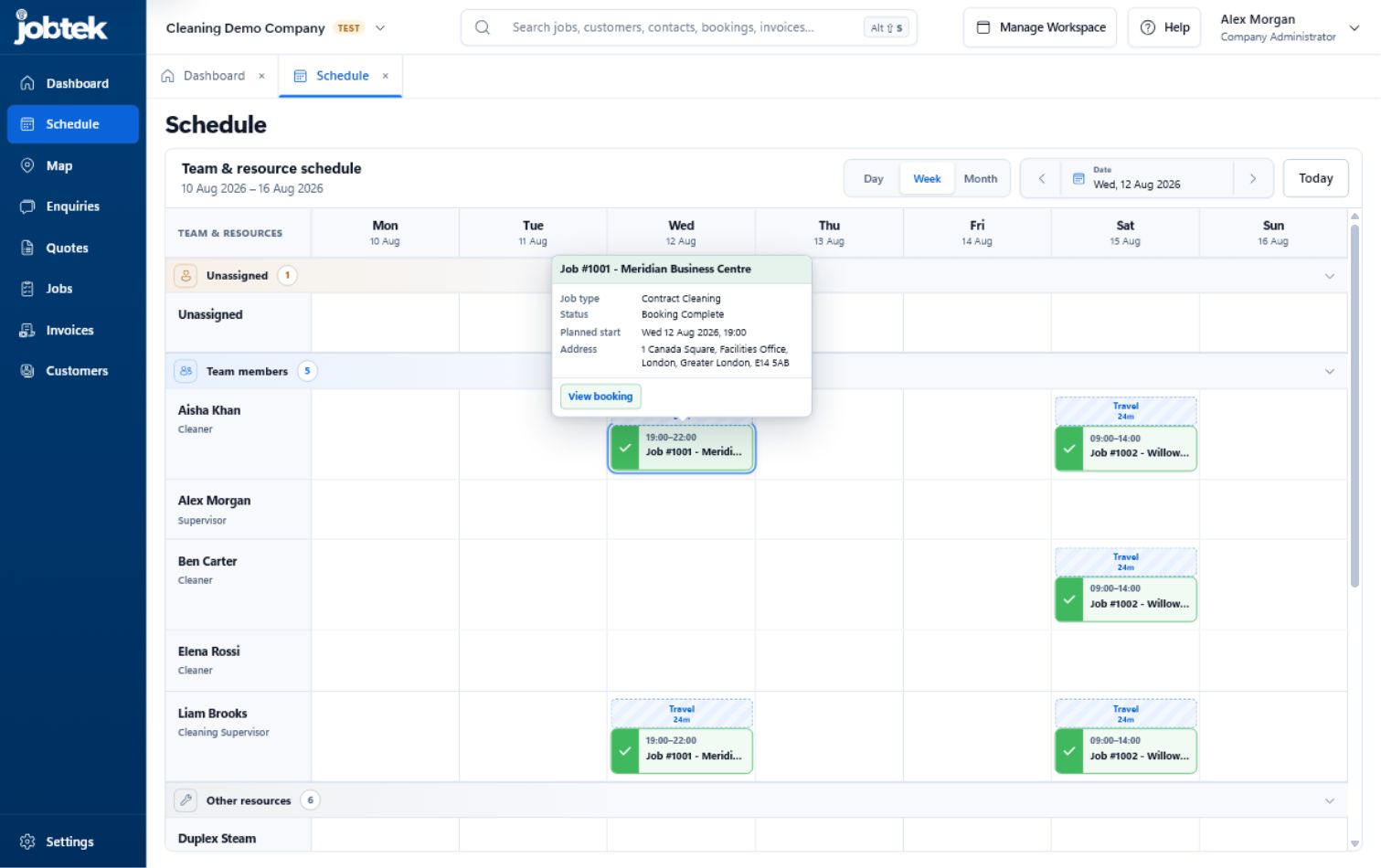
When the weather turns and the phones light up, JobTek shows you every service and install already booked, so you can see exactly where an urgent breakdown fits and who should take it.
What JobTek takes off your plate
Heating firms run three kinds of work through one team: breakdowns that arrive without warning, annual services and landlord safety checks that come round every year, and installs that need a survey, a quote, a deposit and often two people for two days. JobTek runs all three side by side.
Calls in one place
Phone calls you log, website forms, emails and messages from Facebook, Instagram and WhatsApp Business land in one enquiry list, each with an owner, a status and an instant automatic reply.
The right engineer for gas work
Record each engineer's skills with an expiry date, such as their gas registration. With JobTek Professional, Auto Schedule suggests only engineers whose skills are in date on the day, and allows for travel between jobs.
Every boiler's history
Each boiler or cylinder can be an asset with its make, model, serial number, location and every visit. Forms bring forward last year's readings, so engineers compare rather than start again.
Safety records issued on site
JobTek's managed catalogue includes records for landlord gas safety checks, gas appliance servicing, gas warning notices and unvented hot-water work, each issued by a credentialed engineer and stored with the appliance.
Installs with deposits
Quote the install from your own products and prices, take a deposit by amount or percentage, and invoice each stage as it finishes, with the deposit deducted along the way.
Getting paid
With JobTek Professional, customers accept quotes and pay invoices online through Stripe, GoCardless or PayPal, and reminders stop the moment an invoice is paid.

The boiler's history goes to site
Before knocking on the door, the engineer opens the job on their phone: the customer, the access notes, the appliance and everything found last time. In a loft or a basement, the app keeps working, and notes, photos and the customer's signature send as soon as the phone reconnects.
Housing associations and letting agents
Larger clients send volume, and they want a clear record. Each property's appliances keep their full history, and safety records are stored against them, ready to send. With JobTek Professional, the agent's own contacts log in to see what's booked and approve quotes for repairs found during a service, so work moves on without waiting for a phone call.
When the cold snap hits
On the first frosty Monday, the office sees every service already booked and every engineer's day in one view. With JobTek Professional, Auto Schedule suggests the gas-registered engineer whose day and travel fit, so urgent breakdowns go to the nearest qualified person and the services still happen. Customers get their booking confirmed by email, and the office stays on the phones instead of rearranging diaries.
No hot water on a Monday
- 1Monday morning
The customer rings. The office logs the symptoms and sees the boiler is already on file.
- 2Monday afternoon
An engineer between two services takes the call and identifies the failed part.
- 3Tuesday
The quote for the part goes out, and the customer accepts it.
- 4Thursday
The return visit is booked with the part on the van, and the fault, the finding and the agreement are all on the job.
- 5Friday
The invoice goes out for the labour and the part, and the payment is recorded against it.
Everyone in the business, on the same page
The office
Takes the call, books the engineer and sees from the dashboard which bookings need someone and which invoices are due.
Engineers
Work from the app: today's jobs, the appliance history, forms, photos and the customer's signature.
Landlords and agents
With JobTek Professional, log in to the customer portal to see their bookings, approve quotes and pay invoices.
Whoever does the books
With JobTek Professional, invoices, credit notes and payments flow to Xero, QuickBooks Online, Sage Accounting or FreeAgent.
Gas-only business?
See how JobTek works for gas engineers.
JobTek for gas engineersThings heating engineers ask us
Can the office see who's on which job today?
Yes. For any day, the dashboard shows the bookings, which need someone assigned, which have run past their planned end and who's working.
Can I keep a parts price list?
Yes. Your products and services, with their prices, fill in on quotes and invoices.
Can landlords approve work online?
Yes. With JobTek Professional, landlords and agents accept quotes online, and you can see when they opened them.
Which plan suits a heating business?
Most heating firms who take card payments or work for landlords choose JobTek Professional, for online payments, reminders, the customer portal, Auto Schedule and accounting connections. JobTek Essentials covers enquiries, jobs, scheduling, assets, forms, quotes and invoices.
Get ready for next winter now
Add your service customers' boilers this month, and every appliance's history will be there when the cold-weather calls begin.