

JI Assist turns lengthy enquiries into clear summaries
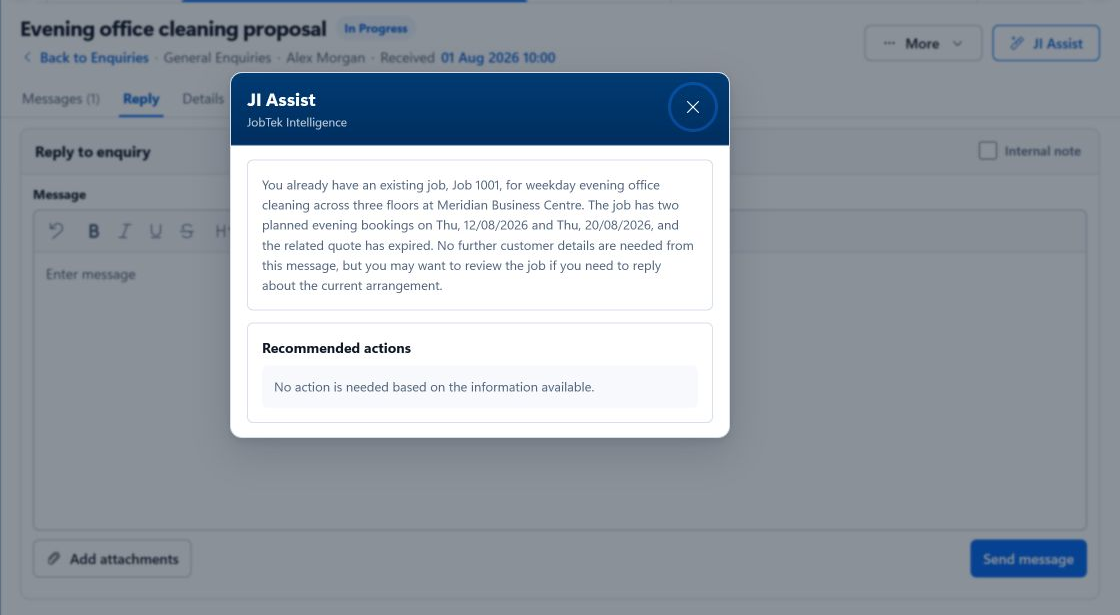
Included with JobTek Professional, JI Assist reviews an enquiry’s messages and attachments, summarises what the customer needs, highlights missing information and suggests the next step. It also prepares a draft reply for you to review and send.
Help your team make sense of every enquiry
From forwarded email chains and photo attachments to reports covering several jobs at one address, JI Assist brings the key details together. Your office team can quickly understand what’s needed and decide how to move the enquiry forward.
Trace every detail to its source
JI Assist links each fact it identifies to the original message or attachment, so your team can check the source and review the detail in context.
A clearer picture of every enquiry
Ask JI Assist to review an enquiry and receive:
A clear summary
Understand the enquiry at a glance, with a short overview of what the customer needs.
Details to follow up
See what information is still needed, such as access arrangements or the customer’s preferred date.
Relevant products and services
See suggested items from your price list that match the work, using the customer’s agreed pricing where available
Potential matches in your records
Find existing customers, contacts, jobs and quotes that may relate to the enquiry.
Suggested next steps
Review a draft reply, link the enquiry to an existing customer, set a follow-up date or create a draft quote, job or booking.
Your review, your decision
Review and edit every suggestion before choosing what to use. JI Assist never sends anything automatically. You decide who can access it, and each person can only work with records they already have permission to view
A forwarded email conversation with two attached photos
- 1Enquiry received
A managing agent forwards a lengthy email conversation about work needed at a site, along with two photos.
- 2Enquiry reviewed
JI Assist summarises the enquiry and identifies a possible match between the site and an existing customer.
- 3Missing information
It highlights the details still needed, including access arrangements and the customer’s preferred date.
- 4Ready for the next step
Link the enquiry to the existing customer, review the draft reply requesting access details, and edit it before sending.